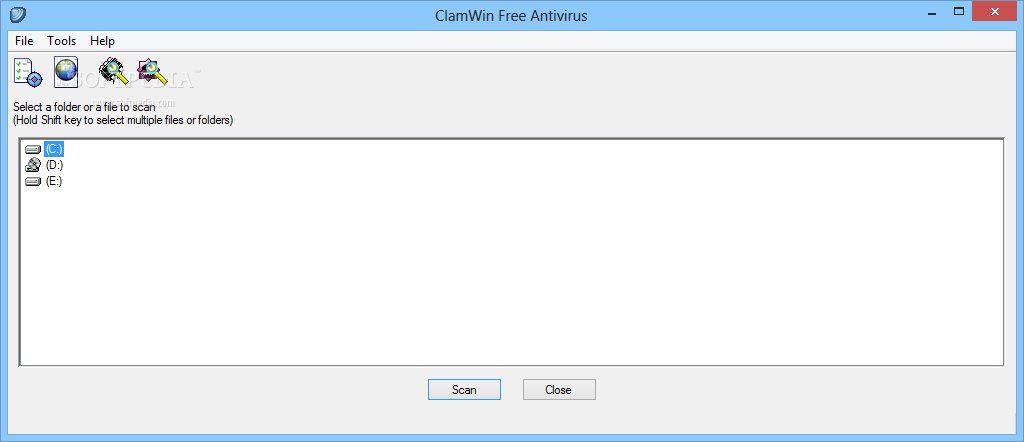
ClamWin Free Antivirus ir bezmaksas un atvērtā pirmkoda pretvīrusu rīks operētājsistēmai Windows, kas nodrošina ērtu grafisko lietotāja saskarni populārajam Clam AntiVirus dzinējam. Tas ir izstrādāts, lai palīdzētu lietotājiem efektīvi identificēt un noņemt vīrusus, spiegprogrammatūru un citas ļaunprātīgas programmas no saviem datoriem, piedāvājot vienkāršu un tiešu pieeju sistēmas drošībai bez nevajadzīgām sarežģītībām.
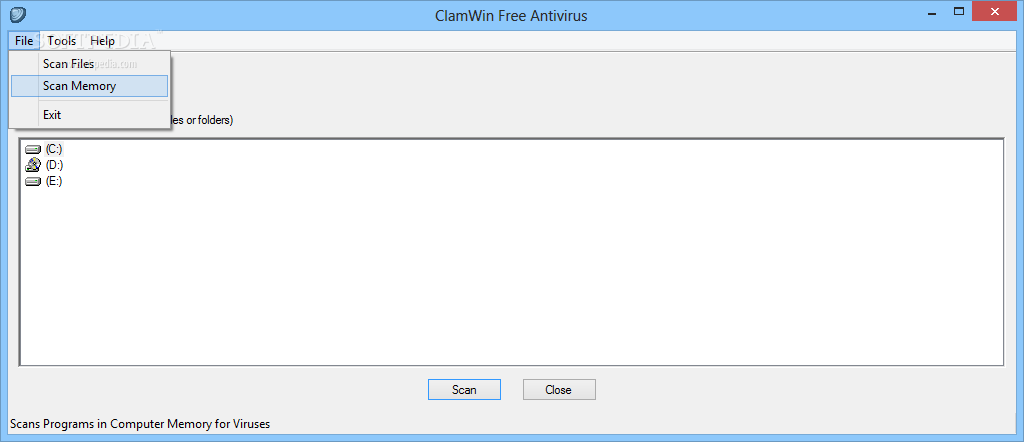
Programmatūra ietver plānoto skenēšanu iespējas, regulārus vīrusu datubāzes atjauninājumus, kā arī integrāciju ar Microsoft Windows Explorer, kas ļauj lietotājiem ar vienu peles klikšķi pārbaudīt jebkuru aizdomīgu failu tieši no konteksta izvēlnes. Lai gan ClamWin nesatur reāllaika aizsardzības moduli (resident scanning), tas kalpo kā lielisks papildu rīks vai drošības līdzeklis manuālai failu un mapju pārbaudei.
Pateicoties savai atvērtā koda dabai un vieglajam dizainam, ClamWin patērē minimālus sistēmas resursus, padarot to par lielisku izvēli vecākiem vai mazāk jaudīgiem datoriem. Tā elastīgie iestatījumi un skaidrie pārskati sniedz pilnīgu kontroli pār drošības procesiem, padarot to par uzticamu palīgu ikdienas cīņā pret digitālajiem draudiem.
Pēc instalēšanas pabeigšanas palaidiet programmu un veiciet pirmo vīrusu datubāzes atjauninājumu.
Plusi / Priekšrocības
Pilnīgi bezmaksas un atvērtā pirmkoda programmatūra bez slēptām izmaksām.
Zems sistēmas resursu patēriņš un viegla instalācija.
Ērta integrācija ar Windows Explorer un Outlook.
Regulāri vīrusu definīciju datubāzes atjauninājumi.
Mīnusi / Ierobežojumi
Trūkst iebūvētas reāllaika aizsardzības (nav fona skenera sistēmas uzraudzībai).
Skenēšanas ātrums var būt lēnāks salīdzinājumā ar dažiem citiem komerciālajiem risinājumiem.
Описание
ClamWin Free Antivirus — это бесплатный антивирусный инструмент с открытым исходным кодом для операционной системы Windows, предоставляющий удобный графический интерфейс для движка Clam AntiVirus. Программа создана для эффективного обнаружения и удаления вирусов, шпионских программ, троянов и других вредоносных объектов, обеспечивая надежный уровень безопасности без излишней нагрузки на систему.
Приложение поддерживает функции планирования сканирования, регулярные обновления вирусных баз данных, а также глубокую интеграцию с проводником Windows (Explorer), что позволяет пользователям проверять любые файлы с помощью контекстного меню правой кнопки мыши. Кроме того, имеется специальный плагин для Microsoft Outlook для проверки входящих писем и вложений. Хотя ClamWin не включает в себя модуль постоянной защиты в реальном времени, он является превосходным сканером по требованию.
Благодаря легковесной архитектуре и открытому коду, ClamWin потребляет минимум системных ресурсов, что делает его отличным выбором для ПК с ограниченными ресурсами. Гибкие настройки и подробные отчеты дают полный контроль над процессом проверки и безопасности вашего компьютера.
Ключевые Особенности
Графический интерфейс:Удобная оболочка Windows GUI для мощного консольного антивирусного движка ClamAV.
Планировщик сканирования:Возможность настройки автоматической проверки системы и отдельных папок по расписанию.
Интеграция с проводником:Быстрое сканирование файлов и папок непосредственно из контекстного меню Windows Explorer.
Автоматические обновления:Регулярная загрузка свежих вирусных баз для защиты от новых угроз.
Интеграция с Outlook:Специальный плагин для автоматической проверки входящей электронной почты и вложений.
How to Install / Run
1
Откройте каталог программного обеспечения и запустите процесс установки ClamWin Free Antivirus.
2
Следуйте инструкциям мастера установки, выбрав необходимые компоненты интеграции с системой.
3
После завершения установки запустите программу и выполните первое обновление вирусных баз.
Преимущества (Плюсы)
Полностью бесплатное программное обеспечение с открытым исходным кодом.
Низкое потребление системных ресурсов и малый размер дистрибутива.
Удобная интеграция с проводником Windows и почтовым клиентом Outlook.
Регулярно обновляемая база данных вирусных сигнатур.
Недостатки (Минусы)
Отсутствует постоянная защита (мониторинг файлов в реальном времени).
Скорость сканирования может быть ниже по сравнению с некоторыми коммерческими аналогами.
Description
ClamWin Free Antivirus is a free and open-source antivirus tool designed for Microsoft Windows, providing a graphical user interface (GUI) to the robust Clam AntiVirus engine. It is specifically built to help users efficiently detect, quarantine, and remove viruses, spyware, trojans, and other malicious software from their computers without demanding steep hardware requirements or complex configuration.
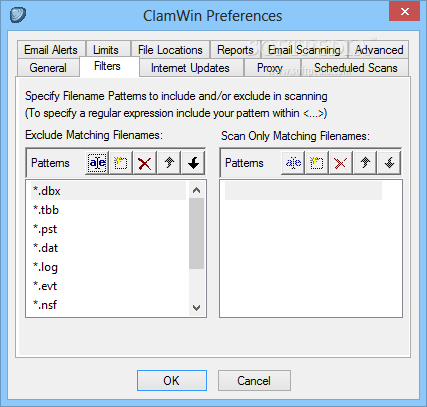
The application features scheduled scanning capabilities, frequent virus database updates, and seamless integration with Windows Explorer, allowing users to scan individual files or folders instantly via the right-click context menu. Additionally, it includes an add-in for Microsoft Outlook to scan incoming email messages and attachments for potential threats. Although ClamWin lacks a resident real-time scanner, it serves as an exceptional on-demand scanning tool and a reliable secondary security layer.
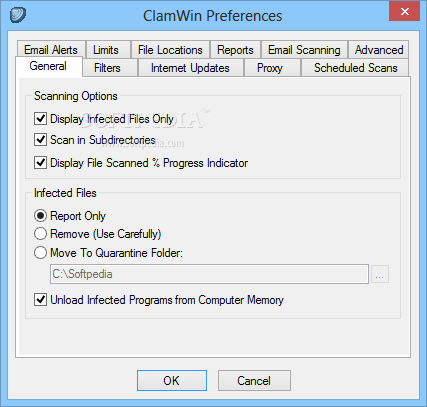
Thanks to its lightweight design and open-source foundation, ClamWin consumes minimal system resources, making it ideal for older hardware or system administrators looking for a reliable, scriptable scanning utility. Its robust reporting and flexible configuration options ensure that users maintain complete visibility and control over their computer security.
Key Features
Graphical User Interface:Provides an intuitive Windows GUI frontend for the powerful Clam AntiVirus engine.
Scheduled Scans:Allows users to configure automated system and folder scans at specific intervals or times.
Windows Explorer Integration:Enables quick right-click context menu scanning for any file or directory.
Automatic Database Updates:Regularly downloads updated virus definitions to protect against emerging malware.
Microsoft Outlook Add-in:Automatically inspects incoming emails and attachments to prevent email-borne threats.
How to Install / Run
1
Open the software catalog and start the ClamWin Free Antivirus setup process.
2
Follow the on-screen installation wizard steps, opting into desired Windows integrations.
3
Launch the application after setup and perform an initial virus definition update before scanning.
Advantages (Pros)
100% free and open-source software with no licensing fees or restricted features.
Lightweight footprint with minimal impact on system performance.
Handy integration with Windows Explorer and Microsoft Outlook.
Frequent and reliable updates to the virus signature database.
Disadvantages (Cons)
Does not feature real-time resident background protection.
Scan performance can occasionally be slower than commercial counterparts.
Description
ClamWin Free Antivirus is a free and open-source antivirus tool designed for Microsoft Windows, providing a graphical user interface (GUI) to the robust Clam AntiVirus engine. It is specifically built to help users efficiently detect, quarantine, and remove viruses, spyware, trojans, and other malicious software from their computers without demanding steep hardware requirements or complex configuration.
The application features scheduled scanning capabilities, frequent virus database updates, and seamless integration with Windows Explorer, allowing users to scan individual files or folders instantly via the right-click context menu. Additionally, it includes an add-in for Microsoft Outlook to scan incoming email messages and attachments for potential threats. Although ClamWin lacks a resident real-time scanner, it serves as an exceptional on-demand scanning tool and a reliable secondary security layer.
Thanks to its lightweight design and open-source foundation, ClamWin consumes minimal system resources, making it ideal for older hardware or system administrators looking for a reliable, scriptable scanning utility. Its robust reporting and flexible configuration options ensure that users maintain complete visibility and control over their computer security.
Key Features
Graphical User Interface:Provides an intuitive Windows GUI frontend for the powerful Clam AntiVirus engine.
Scheduled Scans:Allows users to configure automated system and folder scans at specific intervals or times.
Windows Explorer Integration:Enables quick right-click context menu scanning for any file or directory.
Automatic Database Updates:Regularly downloads updated virus definitions to protect against emerging malware.
Microsoft Outlook Add-in:Automatically inspects incoming emails and attachments to prevent email-borne threats.
How to Install / Run
1
Open the software catalog and start the ClamWin Free Antivirus setup process.
2
Follow the on-screen installation wizard steps, opting into desired Windows integrations.
3
Launch the application after setup and perform an initial virus definition update before scanning.
Advantages (Pros)
100% free and open-source software with no licensing fees or restricted features.
Lightweight footprint with minimal impact on system performance.
Handy integration with Windows Explorer and Microsoft Outlook.
Frequent and reliable updates to the virus signature database.
Disadvantages (Cons)
Does not feature real-time resident background protection.
Scan performance can occasionally be slower than commercial counterparts.
Description
ClamWin Free Antivirus is a free and open-source antivirus tool designed for Microsoft Windows, providing a graphical user interface (GUI) to the robust Clam AntiVirus engine. It is specifically built to help users efficiently detect, quarantine, and remove viruses, spyware, trojans, and other malicious software from their computers without demanding steep hardware requirements or complex configuration.
The application features scheduled scanning capabilities, frequent virus database updates, and seamless integration with Windows Explorer, allowing users to scan individual files or folders instantly via the right-click context menu. Additionally, it includes an add-in for Microsoft Outlook to scan incoming email messages and attachments for potential threats. Although ClamWin lacks a resident real-time scanner, it serves as an exceptional on-demand scanning tool and a reliable secondary security layer.
Thanks to its lightweight design and open-source foundation, ClamWin consumes minimal system resources, making it ideal for older hardware or system administrators looking for a reliable, scriptable scanning utility. Its robust reporting and flexible configuration options ensure that users maintain complete visibility and control over their computer security.
Key Features
Graphical User Interface:Provides an intuitive Windows GUI frontend for the powerful Clam AntiVirus engine.
Scheduled Scans:Allows users to configure automated system and folder scans at specific intervals or times.
Windows Explorer Integration:Enables quick right-click context menu scanning for any file or directory.
Automatic Database Updates:Regularly downloads updated virus definitions to protect against emerging malware.
Microsoft Outlook Add-in:Automatically inspects incoming emails and attachments to prevent email-borne threats.
How to Install / Run
1
Open the software catalog and start the ClamWin Free Antivirus setup process.
2
Follow the on-screen installation wizard steps, opting into desired Windows integrations.
3
Launch the application after setup and perform an initial virus definition update before scanning.
Advantages (Pros)
100% free and open-source software with no licensing fees or restricted features.
Lightweight footprint with minimal impact on system performance.
Handy integration with Windows Explorer and Microsoft Outlook.
Frequent and reliable updates to the virus signature database.
Disadvantages (Cons)
Does not feature real-time resident background protection.
Scan performance can occasionally be slower than commercial counterparts.
LICENSE PERMISSIONS & LEGAL REFERENCE
Public Distribution Permission:OFFICIALLY PERMITTED TO REDISTRIBUTE (100% Legal Release)
(Guaranteed rights to freely download, copy, and share in unmodified form under open-source / freeware terms).
License Model & Status:GNU General Public License v2.0 or later.
Official Distribution Permission:Under the official ClamWin Free Antivirus license (GPL-2.0-or-later), this software is free and permits unrestricted downloading and distribution.