
Title
Attention Anonymous User!Your download speed is severely restricted. Registered users download at full speed without waiting. Register now!

Blender (3D program) v. 5.2.1
Video Editing & Playersv. 5.2.1

Original Descriptions
🇱🇻Latvian
🇷🇺Russian
🇬🇧English
Instant Translation
🇩🇪Deutsch
🇪🇸Español
🇫🇷Français
🇪🇪Eesti
🇱🇹Lietuvių
🇵🇱Polski
🇺🇦Українська
🇮🇹Italiano
🇵🇹Português
🇫🇮Suomi
🇸🇪Svenska
🇳🇴Norsk
🇨🇳中文
🇯🇵日本語
Operating System
Windows
1110
Architecture
64-bit (x64)
Apraksts
Blender ir bezmaksas un atvērtā pirmkoda 3D datorgrafikas programmatūras komplekts, kas nodrošina visaptverošu rīku kopumu visiem radošajiem un tehniskajiem posmiem. Tas ietver vispārēju 3D modelēšanu, animāciju, digitālo tēlniecību, vizuālos efektus, renderēšanu, kompozitēšanu, kustību izsekošanu, zīmēšanu, 2D animāciju un video rediģēšanu, padarot to par universālu risinājumu gan iesācējiem, gan profesionāļiem. Programmatūra tiek plaši izmantota animācijas filmu, vizuālo efektu, mākslas darbu, 3D drukātu modeļu, kustīgo grafiku, interaktīvu 3D lietojumu, virtuālās realitātes un spēļu izstrādes vajadzībām. Pateicoties spēcīgai kopienai un pastāvīgai attīstīrībai, Blender piedāvā augstas veiktspējas dzinējus, piemēram, Cycles un Eevee, kas nodrošina gan reālistisku fotorenderēšanu, gan reāllaika skatloga renderēšanu.
Galvenās Funkcijas
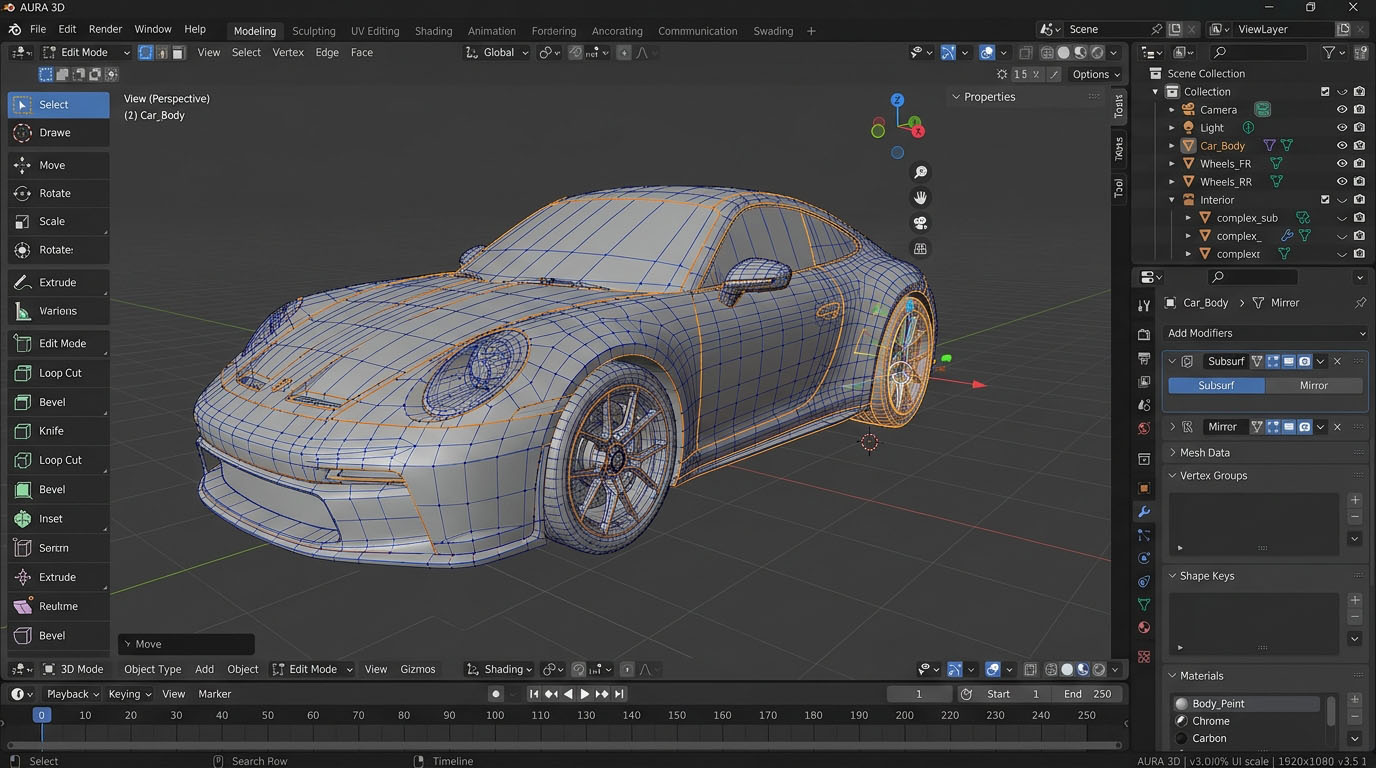
- Visaptveroša modelēšana un tēlniecība: Pilns rīku komplekts daudzstūru modelēšanai, līknēm, virsmām un uzlabotai digitālajai tēlniecībai ar otu pielāgošanu.
- Jaudīgi renderēšanas dzinēji: Integrēti Cycles fotoreālistiskais ray-tracing dzinējs un Eevee reāllaika dzinējs ātrai vizualizācijai.
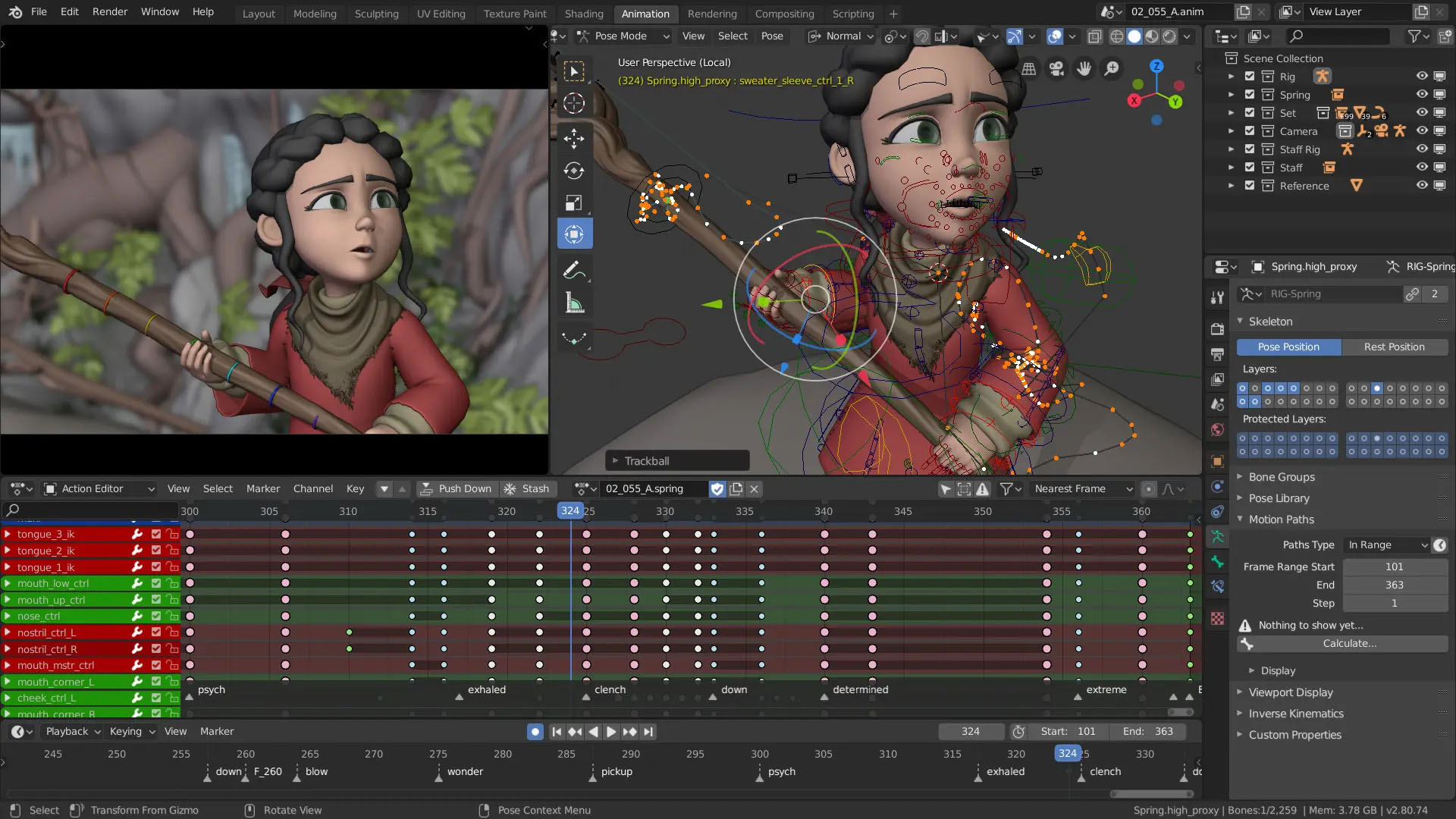
- Animācijas un takelāžas rīki: Profesionālas iespējas skeleta animācijai, ādas piesaistei, kinemātikai un kustību izsekošanai (motion tracking).
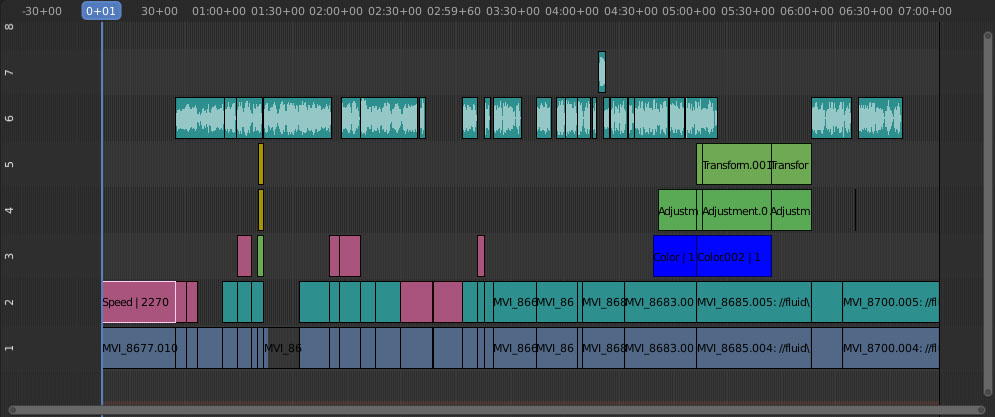
- Video rediģēšana un kompozitēšana: Iebūvēts nelineārais video redaktors un mezglu (node) balstīta kompozitēšanas sistēma pēcapstrādei.
- Paplašināma Python skriptēšana: Iespēja automatizēt uzdevumus un izveidot pielāgotus spraudņus, izmantojot iebūvēto Python API.
How to Install / Run
- 1Pārliecinieties, ka jūsu datora aparatūra atbilst programmatūras minimālajām sistēmas prasībām.
- 2Atveriet lietotņu pārvaldnieku vai izmantojiet sistēmas pakotņu pārvaldnieku, lai atrastu un instalētu Blender.
- 3Pēc instalēšanas palaidiet programmu no savas sistēmas lietojumprogrammu izvēlnes un sāciet jaunu projektu.
Plusi / Priekšrocības
- Pilnībā bezmaksas un atvērtā pirmkoda programmatūra bez slēptām izmaksām
- Viss vienā platforma, kas apvieno modelēšanu, animāciju un video rediģēšanu
- Aktīva un liela globālā kopiena, kas piedāvā neskaitāmas pamācības un papildinājumus
- Cross-platform atbalsts dažādām operētājsistēmām
Mīnusi / Ierobežojumi
- Stāva mācīšanās līkne iesācējiem sarežģītā saskarnes un rīku apjoma dēļ
- Prasa relatīvi jaudīgu datora aparatūru sarežģītām simulācijām un renderēšanai
Описание
Blender — это свободный и бесплатный программный пакет с открытым исходным кодом для работы с трехмерной компьютерной графикой, охватывающий все этапы производства. Он включает средства для моделирования, анимации, цифровой скульптуры, визуальных эффектов, рендеринга, композитинга, трекинга движения, а также 2D-анимации и видеомонтажа, представляя собой универсальное решение для творческих задач. Программа широко применяется для создания анимационных фильмов, визуальных эффектов, произведений искусства, моделей для 3D-печати, анимированной графики, интерактивных 3D-приложений, виртуальной реальности и видеоигр. Благодаря мощным встроенным движкам рендеринга Cycles и Eevee, пользователи могут получать как фотореалистичные изображения, так и мгновенный результат в реальном времени.
Ключевые Особенности
- Всестороннее моделирование и скульпптинг: Полный набор инструментов для полигонального моделирования, работы с кривыми и продвинутого цифрового скульптинга.
- Мощные движки рендеринга: Встроенный трассировщик лучей Cycles для фотореалистики и движок реального времени Eevee для быстрой визуализации.
- Инструменты анимации и риггинга: Профессиональные возможности создания скелетной анимации, скиннинга, линз и точного трекинга движения.
- Видеомонтаж и композитинг: Полноценный нелинейный видеоредактор и мощная нодовая система для постверстки и цветокоррекции.
- Расширяемый Python API: Возможность автоматизации рутинных задач и создания пользовательских дополнений с помощью скриптов.
How to Install / Run
- 1Убедитесь, что ваш компьютер отвечает системным требованиям для стабильной работы приложения.
- 2Откройте ваш системный центр приложений или пакетный менеджер для установки Blender.
- 3Запустите установленную программу из меню приложений и приступайте к работе над проектами.
Преимущества (Плюсы)
- Полностью бесплатное ПО с открытым исходным кодом без скрытых платежей и подписок
- Универсальность «все в одном»: от моделирования до монтажа видео и спецэффектов
- Огромное сообщество разработчиков и пользователей, множество обучающих материалов
- Поддержка множества операционных систем и платформ
Недостатки (Минусы)
- Сложный для освоения интерфейс и высокая крутизна кривой обучения для новичков
- Высокие требования к системным ресурсам при сложных симуляциях и рендеринге
Description
Blender is a free and open-source 3D computer graphics software suite that supports the entirety of the 3D pipeline—modeling, rigging, animation, simulation, rendering, compositing, motion tracking, and even video editing and 2D animation. Its versatile nature accommodates diverse production pipelines across film, game development, and digital art creation. Renowned for its robust feature set and active global community, Blender features advanced rendering engines like Cycles for photorealistic path tracing and Eevee for real-time viewport rendering. It serves as an industry-grade tool used extensively for creating animated films, visual effects, art, 3D-printed models, motion graphics, interactive 3D applications, and virtual reality experiences.
Key Features
- Comprehensive 3D Modeling & Sculpting: Advanced tools for polygon modeling, curves, digital sculpting with dynamic topology, and UV unwrapping.
- Advanced Rendering Engines: Includes Cycles for path-traced realism and Eevee for high-speed, real-time physically based rendering.
- Robust Animation & Rigging: Professional armature creation, skinning, pose libraries, shape keys, and advanced motion tracking capabilities.
- Video Editing & Compositing: Integrated non-linear video sequence editor and a powerful node-based compositing workspace.
- Extensible Python API: Full scriptability for workflow automation, custom tool development, and ecosystem add-ons.
How to Install / Run
- 1Ensure your system hardware meets the necessary specifications for optimal performance.
- 2Search for Blender in your software center or package manager to initiate the installation process.
- 3Launch Blender from your system applications menu once installed to begin creating your 3D projects.
Advantages (Pros)
- Completely free and open-source under the GPL license with no subscription fees
- All-in-one suite combining modeling, simulation, animation, and post-production
- Regular updates driven by a passionate worldwide community and industry backing
- Cross-platform compatibility running smoothly on Windows, macOS, and Linux
Disadvantages (Cons)
- Steep learning curve due to vast array of complex toolsets and hotkey dependencies
- Hardware intensive when working with heavy polygon counts, simulations, or GPU rendering
Description
Blender is a free and open-source 3D computer graphics software suite that supports the entirety of the 3D pipeline—modeling, rigging, animation, simulation, rendering, compositing, motion tracking, and even video editing and 2D animation. Its versatile nature accommodates diverse production pipelines across film, game development, and digital art creation. Renowned for its robust feature set and active global community, Blender features advanced rendering engines like Cycles for photorealistic path tracing and Eevee for real-time viewport rendering. It serves as an industry-grade tool used extensively for creating animated films, visual effects, art, 3D-printed models, motion graphics, interactive 3D applications, and virtual reality experiences.
Key Features
- Comprehensive 3D Modeling & Sculpting: Advanced tools for polygon modeling, curves, digital sculpting with dynamic topology, and UV unwrapping.
- Advanced Rendering Engines: Includes Cycles for path-traced realism and Eevee for high-speed, real-time physically based rendering.
- Robust Animation & Rigging: Professional armature creation, skinning, pose libraries, shape keys, and advanced motion tracking capabilities.
- Video Editing & Compositing: Integrated non-linear video sequence editor and a powerful node-based compositing workspace.
- Extensible Python API: Full scriptability for workflow automation, custom tool development, and ecosystem add-ons.
How to Install / Run
- 1Ensure your system hardware meets the necessary specifications for optimal performance.
- 2Search for Blender in your software center or package manager to initiate the installation process.
- 3Launch Blender from your system applications menu once installed to begin creating your 3D projects.
Advantages (Pros)
- Completely free and open-source under the GPL license with no subscription fees
- All-in-one suite combining modeling, simulation, animation, and post-production
- Regular updates driven by a passionate worldwide community and industry backing
- Cross-platform compatibility running smoothly on Windows, macOS, and Linux
Disadvantages (Cons)
- Steep learning curve due to vast array of complex toolsets and hotkey dependencies
- Hardware intensive when working with heavy polygon counts, simulations, or GPU rendering
Description
Blender is a free and open-source 3D computer graphics software suite that supports the entirety of the 3D pipeline—modeling, rigging, animation, simulation, rendering, compositing, motion tracking, and even video editing and 2D animation. Its versatile nature accommodates diverse production pipelines across film, game development, and digital art creation. Renowned for its robust feature set and active global community, Blender features advanced rendering engines like Cycles for photorealistic path tracing and Eevee for real-time viewport rendering. It serves as an industry-grade tool used extensively for creating animated films, visual effects, art, 3D-printed models, motion graphics, interactive 3D applications, and virtual reality experiences.
Key Features
- Comprehensive 3D Modeling & Sculpting: Advanced tools for polygon modeling, curves, digital sculpting with dynamic topology, and UV unwrapping.
- Advanced Rendering Engines: Includes Cycles for path-traced realism and Eevee for high-speed, real-time physically based rendering.
- Robust Animation & Rigging: Professional armature creation, skinning, pose libraries, shape keys, and advanced motion tracking capabilities.
- Video Editing & Compositing: Integrated non-linear video sequence editor and a powerful node-based compositing workspace.
- Extensible Python API: Full scriptability for workflow automation, custom tool development, and ecosystem add-ons.
How to Install / Run
- 1Ensure your system hardware meets the necessary specifications for optimal performance.
- 2Search for Blender in your software center or package manager to initiate the installation process.
- 3Launch Blender from your system applications menu once installed to begin creating your 3D projects.
Advantages (Pros)
- Completely free and open-source under the GPL license with no subscription fees
- All-in-one suite combining modeling, simulation, animation, and post-production
- Regular updates driven by a passionate worldwide community and industry backing
- Cross-platform compatibility running smoothly on Windows, macOS, and Linux
Disadvantages (Cons)
- Steep learning curve due to vast array of complex toolsets and hotkey dependencies
- Hardware intensive when working with heavy polygon counts, simulations, or GPU rendering
LICENSE PERMISSIONS & LEGAL REFERENCE
- Public Distribution Permission: OFFICIALLY PERMITTED TO REDISTRIBUTE (100% Legal Release)
(Guaranteed rights to freely download, copy, and share in unmodified form under open-source / freeware terms). - License Model & Status: GNU General Public License v2.0 or later.
- Official Distribution Permission: Under the official Blender (3D program) license (GPL-2.0-or-later), this software is free and permits unrestricted downloading and distribution.
- Official Project Homepage: https://www.blender.org.
- Exact License & Terms Link: https://www.gnu.org/licenses/gpl-2.0.html.
- Official License Registry (Alternative Legal Source): https://www.gnu.org/licenses/gpl-2.0.html.
Images
Similar / Other Versions
No similar torrents found.
Technical Specifications
- DeveloperBlender Foundation
- Release Date24.08.2026
- Operating SystemWindows1110
- Architecture64-bit (x64)
- Release FormatSetup / Installer Portable
- Languages🌍🇷🇺🇬🇧🇺🇦🇩🇪🇫🇷🇪🇸
- Official Homepageblender.org
- filesView (1)
System Requirements
- Processor (CPU)64-bit multi-core CPU (Intel/AMD or Apple Silicon)
- Memory (RAM)8 GB
- Free Disk Space500 MB
- Graphics Card (GPU)Standard display (No dedicated GPU required)
Rating
None
Said thanks
📢 Advertisement[+]
Want to be seen by everyone?Place your ad here using your site balance! The perfect spot to promote your releases, clan, or links.Your text ad here!Grab this spot using your accumulated balance and get noticed.VPNMost people overpay for a VPN without realising it. CometVPN starts from just $1.89/month — same privacy, same security, same speeds as the big names. Just without the big price tag.
+ Add your advertisement
📂 files (1)
×
| Path | Size |
|---|---|
| blender-5.2.1-windows-x64.msi | 348.20 MB |
❮
×
![]()
❯
Share on Facebook
Choose the image you want to see in your Facebook post:
Choose which image you want to see in your Facebook post and click "Share this image":
 Screenshot 1
 Screenshot 2
 Screenshot 3
 Screenshot 4
Facebook will automatically load the selected image in your post preview!
Facebook will automatically load the chosen image in the post preview.
🌐 All Supported Languages 31
🇬🇧
English
EN
🇪🇸
Spanish
Español
ES
🇩🇪
German
Deutsch
DE
🇫🇷
French
Français
FR
🇮🇹
Italian
Italiano
IT
🇯🇵
Japanese
日本語
JA
🇰🇷
Korean
한국어
KO
🇧🇷
Portuguese (Brazil)
Português (Brasil)
PT-BR
🇷🇺
Russian
Русский
RU
🇨🇳
Chinese (Simplified)
简体中文
ZH-CN
🇹🇼
Chinese (Traditional)
繁體中文
ZH-TW
🇸🇦
Arabic
العربية
AR
🇪🇸
Catalan
Català
CA
🇨🇿
Czech
Čeština
CS
🟢
Esperanto
EO
🇪🇸
Basque
Euskara
EU
🇪🇸
Galician
Galego
GL
🇮🇱
Hebrew
עברית
HE
🇮🇳
Hindi
हिन्दी
HI
🇭🇷
Croatian
Hrvatski
HR
🇭🇺
Hungarian
Magyar
HU
🇮🇩
Indonesian
Bahasa Indonesia
ID
🇱🇹
Lithuanian
Lietuvių
LT
🇵🇱
Polish
Polski
PL
🇸🇰
Slovak
Slovenčina
SK
🇷🇸
Serbian
Srpski
SR
🇸🇪
Swedish
Svenska
SV
🇹🇭
Thai
ไทย
TH
🇹🇷
Turkish
Türkçe
TR
🇺🇦
Ukrainian
Українська
UK
🇻🇳
Vietnamese
Tiếng Việt
VI
No matching languages found
Total supported languages: 31