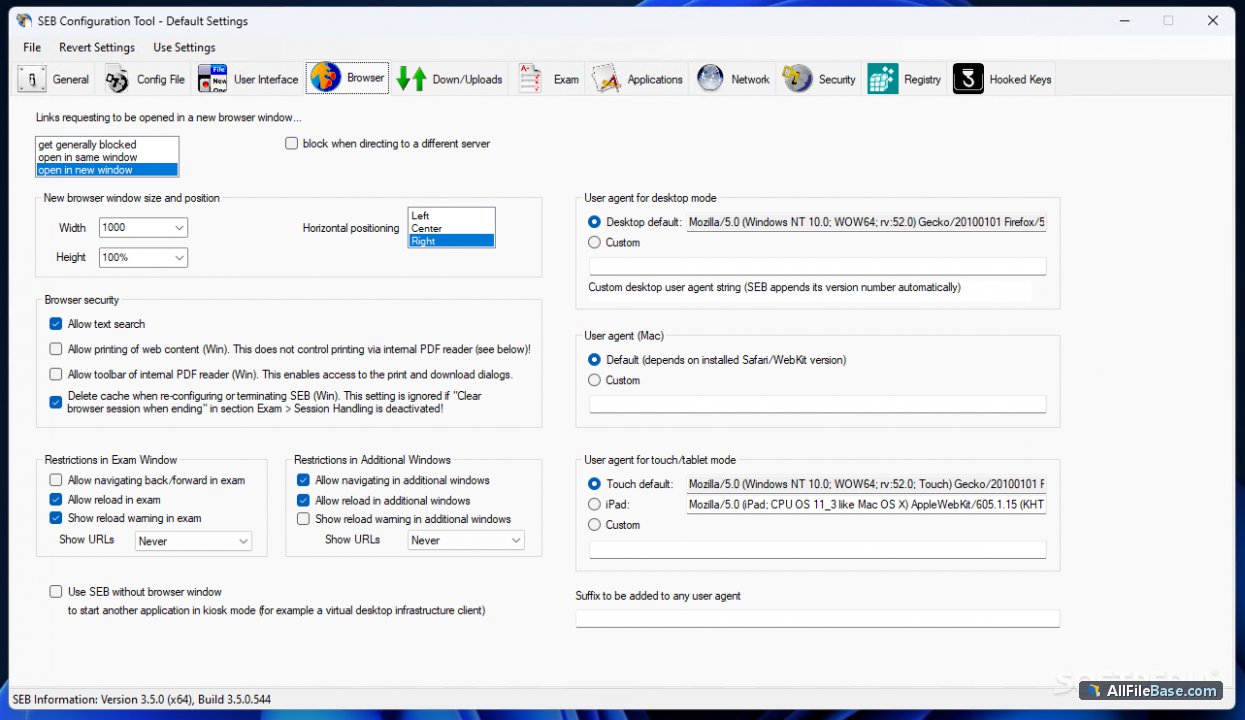
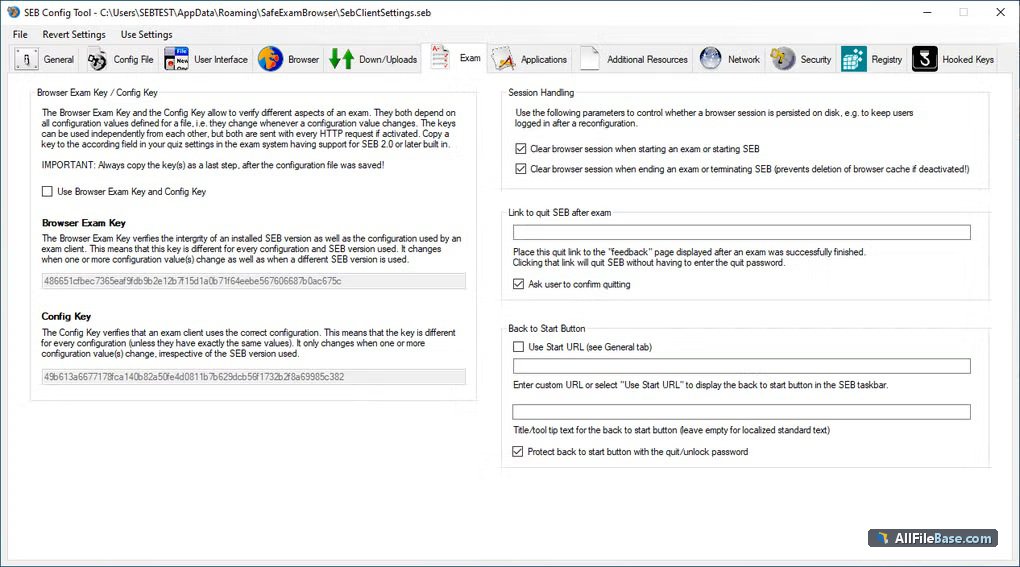
Safe Exam Browser ir specializēta tīmekļa pārlūkprogramma, kas drošu datoru pārvērš par drošu darbstaciju tiešsaistes eksāmeniem. Šī lietojumprogramma droši ierobežo piekļuvi funkcijām, sistēmas iestatījumiem un citām programmām eksāmena laikā, novēršot krāpšanos un nesankcionētu palīgmateriālu izmantošanu. Tā ir cieši integrēta ar dažādām mācību vadības sistēmām, nodrošinot augstu integritāti un uzticamību gan izglītības iestādēm, gan korporatīvajiem testēšanas centriem. Programmatūra efektīvi kontrolē lietotāja vidi, bloķējot ekrānu uzņemšanu, tastatūras īsceļus un pārlūkošanu ārpus norādītajām vietnēm. Pateicoties pārdomātajai arhitektūrai, Safe Exam Browser ļauj pedagogiem un administratoriem konfigurēt precīzus drošības parametrus katram individuālam testam, nodrošinot vienlīdzīgus un godīgus apstākļus visiem dalībniekiem.
Galvenās Funkcijas
Droša eksāmena vide:Pārvērš datoru par slēgtu sistēmu, bloķējot piekļuvi ārējiem resursiem un neatļautām lietotnēm.
Integrācija ar LMS:Nemanāmi darbojas ar populārām mācību vadības sistēmām, piemēram, OpenOlat un citām platformām.
Piekļuves kontrole:Ierobežo ekrānauzņēmumu veidošanu, drukāšanu un sistēmas līmeņa īsceļus eksāmena sesijas laikā.
Elastīga konfigurācija:Administratori var pielāgot drošības profilus un atļautās tīmekļa lapas katram testam atsevišķi.
Atvērtā koda platforma:Balstīta uz uzticamiem atvērtā koda principiem un pastāvīgi tiek pilnveidota izglītības vajadzībām.
How to Install / Run
1
Lejupielādējiet Safe Exam Browser oficiālo instalācijas pakotni.
2
Palaidiet instalatoru un izpildiet ekrānā redzamos norādījumus.
3
Atveriet konfigurēto eksāmena saiti vai palaidiet programmu, lai uzsāktu sesiju.
Plusi / Priekšrocības
Augsts drošības un godprātības līmenis tiešsaistes eksāmenos
Plaša saderība ar vadošajām mācību vadības sistēmām
Viegli konfigurējami drošības profili administratoriem
Var bloķēt likumīgas sistēmas funkcijas, ja nav pareizi konfigurēts
Описание
Safe Exam Browser — это специализированный веб-браузер, который превращает обычный компьютер в защищенную рабочую станцию для проведения онлайн-экзаменов. Приложение эффективно ограничивает доступ к системным настройкам, функциям и сторонним программам во время тестирования, предотвращая списывание и использование неразрешенных материалов. Программа тесно интегрируется с различными системами управления обучением, обеспечивая высокую надежность и академическую честность для учебных заведений и центров тестирования. ПО тщательно контролирует рабочее окружение пользователя, блокируя создание снимков экрана, комбинации клавиш и просмотр неразрешенных веб-страниц. Благодаря продуманной архитектуре администраторы могут настраивать точные параметры безопасности для каждого отдельного теста, гарантируя равные и честные условия для всех участников.
Ключевые Особенности
Защищенная среда тестирования:Превращает устройство в изолированную систему, блокируя доступ к посторонним приложениям.
Интеграция с LMS:Безупречно работает с популярными платформами управления обучением, такими как OpenOlat.
Контроль доступа:Блокирует создание скриншотов, печать и системные горячие клавиши во время экзамена.
Гибкая конфигурация:Позволяет администраторам настраивать профили безопасности и разрешенные URL-адреса для каждого теста.
Открытый исходный код:Основано надежных принципах open-source и постоянно совершенствуется для нужд образования.
How to Install / Run
1
Загрузите официальный установщик Safe Exam Browser с проверенного источника.
2
Запустите мастер установки и следуйте инструкциям на экране.
3
Запустите приложение или откройте файл конфигурации экзамена для начала сеанса.
Преимущества (Плюсы)
Высокий уровень безопасности и предотвращения мошенничества на экзаменах
Широкая совместимость с ведущими системами дистанционного обучения
Гибкая настройка параметров безопасности под конкретные задачи
Полностью бесплатное решение с открытым исходным кодом
Недостатки (Минусы)
Требует предварительного тестирования на устройствах пользователей
Может конфликтовать со сторонним защитным ПО на некоторых ПК
Description
Safe Exam Browser is a specialized web browser designed to transform any standard computer into a secure workstation for conducting online exams. The application effectively restricts access to functions, system settings, and external applications during testing, preventing cheating and unauthorized use of study materials. It integrates seamlessly with various learning management systems, ensuring high integrity and reliability for educational institutions and corporate testing centers alike. The software carefully controls the user environment by blocking screen captures, keyboard shortcuts, and browsing outside authorized web pages. Thanks to its robust architecture, administrators can configure precise security parameters tailored to individual tests, providing an equitable and fair testing environment for all participants.
Key Features
Secure Exam Environment:Transforms the device into a locked-down system, blocking access to unauthorized apps and external tools.
LMS Integration:Seamlessly connects with popular learning management systems such as OpenOlat and other educational platforms.
Access Restriction:Blocks screen capturing, printing, and critical system-level shortcuts throughout the active session.
Flexible Configuration:Allows administrators to customize security profiles and permitted URLs for each specific exam.
Open Source Foundation:Developed on reliable open-source principles, ensuring continuous community-driven improvements.
How to Install / Run
1
Download the official Safe Exam Browser installation package from the verified source.
2
Run the setup wizard and follow the on-screen instructions to complete installation.
3
Launch the application or open your designated exam configuration file to begin your session.
Advantages (Pros)
High level of security and academic integrity during digital exams
Broad compatibility with leading learning management platforms
Highly customizable security parameters for administrators
Completely free and open source software solution
Disadvantages (Cons)
Requires thorough pre-testing on student devices before live exams
Can occasionally conflict with overly aggressive security software on client machines
Description
Safe Exam Browser is a specialized web browser designed to transform any standard computer into a secure workstation for conducting online exams. The application effectively restricts access to functions, system settings, and external applications during testing, preventing cheating and unauthorized use of study materials. It integrates seamlessly with various learning management systems, ensuring high integrity and reliability for educational institutions and corporate testing centers alike. The software carefully controls the user environment by blocking screen captures, keyboard shortcuts, and browsing outside authorized web pages. Thanks to its robust architecture, administrators can configure precise security parameters tailored to individual tests, providing an equitable and fair testing environment for all participants.
Key Features
Secure Exam Environment:Transforms the device into a locked-down system, blocking access to unauthorized apps and external tools.
LMS Integration:Seamlessly connects with popular learning management systems such as OpenOlat and other educational platforms.
Access Restriction:Blocks screen capturing, printing, and critical system-level shortcuts throughout the active session.
Flexible Configuration:Allows administrators to customize security profiles and permitted URLs for each specific exam.
Open Source Foundation:Developed on reliable open-source principles, ensuring continuous community-driven improvements.
How to Install / Run
1
Download the official Safe Exam Browser installation package from the verified source.
2
Run the setup wizard and follow the on-screen instructions to complete installation.
3
Launch the application or open your designated exam configuration file to begin your session.
Advantages (Pros)
High level of security and academic integrity during digital exams
Broad compatibility with leading learning management platforms
Highly customizable security parameters for administrators
Completely free and open source software solution
Disadvantages (Cons)
Requires thorough pre-testing on student devices before live exams
Can occasionally conflict with overly aggressive security software on client machines
Description
Safe Exam Browser is a specialized web browser designed to transform any standard computer into a secure workstation for conducting online exams. The application effectively restricts access to functions, system settings, and external applications during testing, preventing cheating and unauthorized use of study materials. It integrates seamlessly with various learning management systems, ensuring high integrity and reliability for educational institutions and corporate testing centers alike. The software carefully controls the user environment by blocking screen captures, keyboard shortcuts, and browsing outside authorized web pages. Thanks to its robust architecture, administrators can configure precise security parameters tailored to individual tests, providing an equitable and fair testing environment for all participants.
Key Features
Secure Exam Environment:Transforms the device into a locked-down system, blocking access to unauthorized apps and external tools.
LMS Integration:Seamlessly connects with popular learning management systems such as OpenOlat and other educational platforms.
Access Restriction:Blocks screen capturing, printing, and critical system-level shortcuts throughout the active session.
Flexible Configuration:Allows administrators to customize security profiles and permitted URLs for each specific exam.
Open Source Foundation:Developed on reliable open-source principles, ensuring continuous community-driven improvements.
How to Install / Run
1
Download the official Safe Exam Browser installation package from the verified source.
2
Run the setup wizard and follow the on-screen instructions to complete installation.
3
Launch the application or open your designated exam configuration file to begin your session.
Advantages (Pros)
High level of security and academic integrity during digital exams
Broad compatibility with leading learning management platforms
Highly customizable security parameters for administrators
Completely free and open source software solution
Disadvantages (Cons)
Requires thorough pre-testing on student devices before live exams
Can occasionally conflict with overly aggressive security software on client machines
LICENSE PERMISSIONS & LEGAL REFERENCE
Public Distribution Permission:OFFICIALLY PERMITTED TO REDISTRIBUTE (100% Legal Release)
(Guaranteed rights to freely download, copy, and share in unmodified form under open-source / freeware terms).
License Model & Status:Apache License 2.0.
Official Distribution Permission:Under the official Safe Exam Browser license (Apache 2.0), this software is free and permits unrestricted downloading and distribution.